From menu to reports, every screen connected
QRordine's features, in nine groups. The label shows the plan a feature starts in; the full breakdown is in the table on the Pricing page. Roadmap items are marked “Coming soon”.
What does each plan include?
Ordering and payment
Starter and upQR ordering
Guests scan the table QR without installing an app, pick from the menu and add a note.
Table session, many guests
Everyone at the table adds from their own phone; orders are kept apart as “Guest 1, Guest 2”.
Waiter ordering
Waiters enter orders for a table from their own screen; the flow is the same even without the QR.
Bills
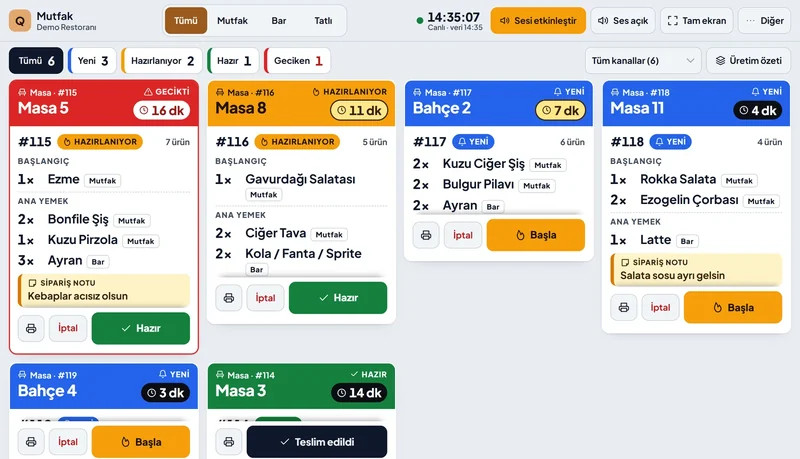
An open bill per table; adding items, comps and voids are all recorded.
Bill splitting
Split equally, per person or by item; an item already paid can't be picked again.
Mixed payments
Cash, the card terminal, meal cards and gift cards on the same bill.
Online payment from the table
Guests can pay by card at the table; payment is taken on iyzico's secure form.
Call a waiter, ask for the bill
One tap; the call reaches the waiter's phone with the table name and request type. Who took it and how long it took is reported.
Service screen
Waiters see calls on their own phones and take them with “On my way”. Late calls stand out; if no one is on the floor, calls go to the till. No app to install.
Food-ready alert
When the kitchen marks an order ready, waiters get a notification with the table and what to carry. One waiter taps “Taking it” and it leaves the others' screens; at the table they tap “Delivered”.
Order status
Received, preparing, ready: guests follow it on their own phone.
Offline queue
If the connection drops, the order waits on the device and is sent when it's back, without a duplicate.
Price-change protection
If a price changed while the guest was ordering, they see and confirm the new total; nothing is written at the old price.
Reorder
Guests repeat a previous order in one tap, with a confirmation step.
Menu and campaigns
Menu in all plans, campaigns in ProfessionalPhoto menu
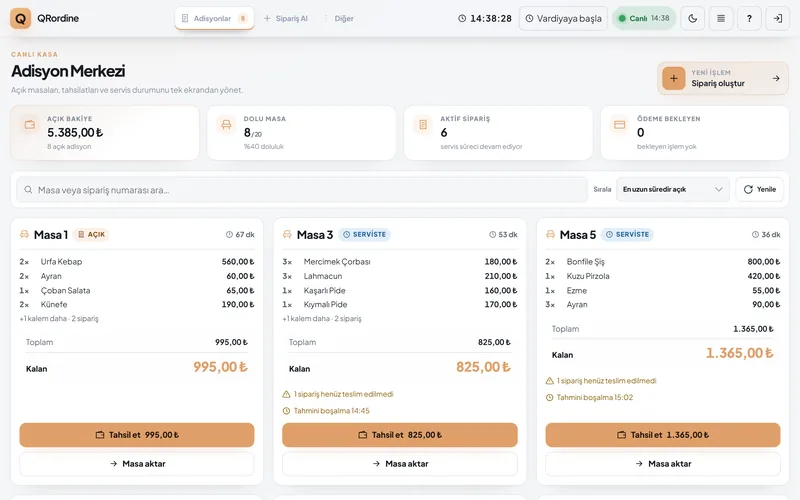
Category images, product photos and descriptions; the menu opens fast on a phone.
VAT per item
Each item has its own VAT rate; invoices and reports show every line at the right rate.
Option groups
Size, extras, doneness, sauces; required and multi-choice rules.
Calories, allergens and diet tags
Allergen and calorie details on the product page; guests can filter by allergen.
Sold out and stock
Switch off a sold-out item in one tap; tracked items switch off automatically when stock runs out.
Similar items
Hand-picked or automatic similar items on the product page.
Multilingual menu Professional
Turkish, English, Arabic and Russian, with right-to-left support; more languages via AI translation.
Combo meals Professional
Bundle several items at a single price.
Coupons Professional
Percentage or fixed amount; usage limit and validity dates.
Happy Hour Professional
Automatic discounts by day and time, shown next to the price in the menu.
Gift cards Professional
Prepaid balance, used at the table or for online payment.
Kitchen and operations
Starter and upLive kitchen display
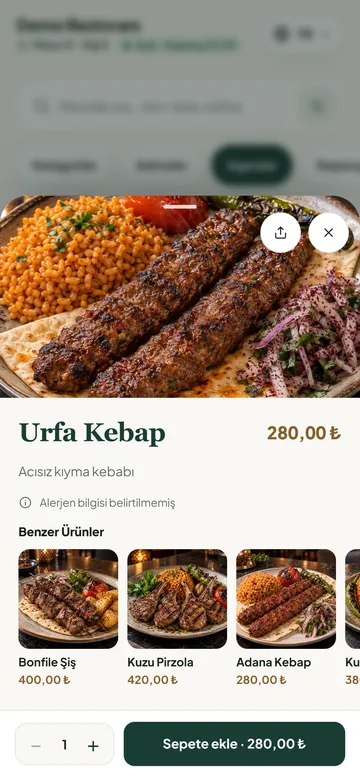
New orders arrive with a sound alert; each ticket shows table, order number and waiting time.
Late orders
Tickets past their time turn red and are counted separately in the filter.
One ticket per table
A table's orders sit on one ticket, numbered in the order they arrived; each order keeps its own note and status.
Production summary
The total of each item to prepare across active orders.
Station split Enterprise
Kitchen, bar and dessert stations each see their own orders.
Thermal printer and drawer
ESC/POS receipt printer, automatic tickets, cash drawer; jobs wait in a queue if the printer is unreachable.
Cash-up
Opening float, cash in and out movements, and a day-end close with the counted cash. Each payment is recorded under the person at the till; at shift change the till is counted and handed over.
Works with your cash register
Your existing fiscal cash register (ÖKC) stays. At every close the till screen shows the receipt amount to issue on it. A table paid online closes on its own; its receipt waits on the till's "receipts to issue" list, the till alerts you when the payment lands, and the end-of-day close reminds you too.
Corrections at the till
Remove a wrongly entered item; change the payment type or refund on a closed bill. Every correction is recorded with who and when.
Shifts and breaks
Staff pick their name on the shared kitchen or till screen and clock in with a PIN; clock-in, clock-out and break times, net hours worked.
Table moves and quick sales
Move a bill to another table; counter sales without a table.
Kiosk mode Coming soon
Self-service ordering from a fixed tablet.
Stock and cost
Professional and upRecipe-based stock
Ingredients are deducted from stock as items sell.
Low-stock alerts
Items below their threshold are flagged in the dashboard.
Waste log
Ingredient or product waste is logged with a reason; a wrong entry can be voided.
Suppliers and purchasing
Supplier cards; a purchase entry increases stock and updates cost.
Cost and margin
Cost and gross margin per item, visible only to authorised users.
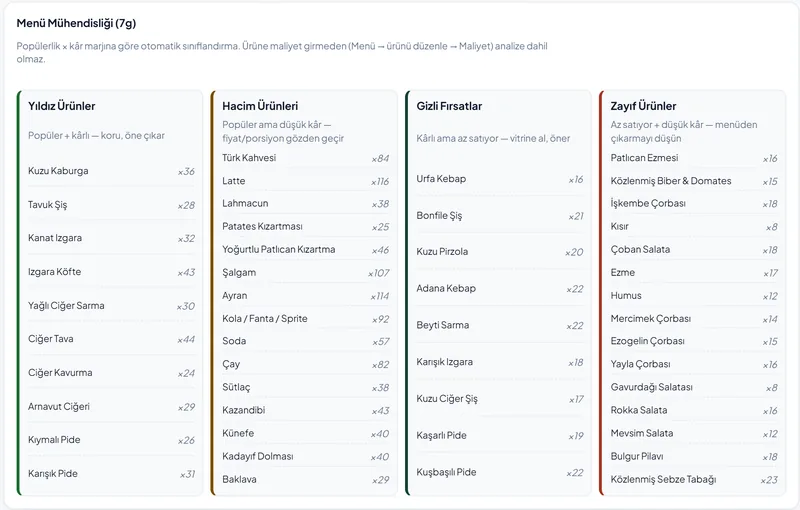
Menu engineering Enterprise
Items are grouped by popularity and profit into stars, workhorses, hidden opportunities and weak items.
Demand forecast Enterprise
How many days an ingredient will last based on past use, and a suggested order quantity.
Guests, loyalty and reservations
Professional and upPoints and tiers
Points by spend; bronze, silver and gold tiers.
Automatic win-back
An SMS with a coupon for guests who haven't returned in a while (SMS billed per use).
Personalised campaigns
Automatic, personal coupons for a chosen guest group.
Prize wheel and referrals
A prize wheel after ordering; points for guests who arrive with a referral code.
Ratings and reviews
Ratings and comments when the bill closes; low-rated visits are emailed to you, happy guests are pointed to Google or Yandex reviews.
Reservations
Guests leave a name and phone number, staff confirm; overlapping bookings for a table are blocked.
Waitlist
Queue walk-in guests and call them when a table frees up.
Integrations
Professional and EnterpriseEach integration is connected with your own provider account during setup and tested together. An integration that isn't configured stays off and doesn't affect the rest of the system.
Online payment Starter
iyzico payment form; money goes to your own iyzico account and card data never reaches the QRordine server. Refund part of the amount or the tip separately.
e-Document connection Optional
If your e-document provider is Nilvera, your account is connected: online payments get an e-Archive invoice in the buyer's name automatically, refunds reissue it, and the tax-office reporting status shows in the dashboard. Without it, the receipt comes from your cash register.
Marketplace orders Enterprise
Trendyol Yemek, Getir, Yemeksepeti and Migros Yemek orders enter the kitchen and reporting flow.
Accounting export Enterprise
The day's sales summary is pushed to Paraşüt every night.
SMS and WhatsApp notifications Professional
Order, reservation and campaign messages; billed per use.
API keys and webhooks Enterprise
Send order events to your own system; every request is signed.
AI tools
Professional and upMenu copy and translation
Product descriptions and menu translation into other languages; you approve before it goes live.
Allergen suggestions
Flags likely allergens from the ingredients; the final call is yours.
“What should I eat?” assistant
Suggests dishes only from your menu, based on what the guest asks.
AI product images All plans
Image generation for items without a photo; credit packs, billed per use. A failed generation returns the credit.
Forecast summary Enterprise
A short written read of demand and sales for managers.
Branches, staff and reporting
Starter and upSales reports
Daily and weekly revenue, top sellers, hourly load, payment mix; order history as CSV.
Menu analytics
Menu views, the path guests take through the menu and device mix.
Waiter performance
Revenue, sessions, average table time and tips per waiter.
Staff roles
Separate permissions for managers, cashiers, waiters and kitchen staff.
Instant access removal
A departing employee's open sessions are closed in one step.
Activity log
Key actions are stored permanently with who did what and when.
Multi-branch Enterprise
Switch between branches with one login, branch-level permissions.
Branch comparison Enterprise
Revenue, basket, table turnover and rating compared branch by branch.
Built-in guide
A step-by-step tour on first use of the management, till and kitchen screens; a guide and help centre on every screen.
KVKK requests
When a customer asks for their personal data or its deletion, you find the record in the dashboard and export or anonymise it. Owner only, with their password.
Two-factor sign-in
A second verification code at dashboard sign-in, switched on by each venue in the management panel. With "Trust this device" the code isn't asked again on the same browser for 30 days.
See it all working in your venue
In an on-site demo we enter your menu, show you the screens and let your team try it.